How to make online check-in feel like your airline
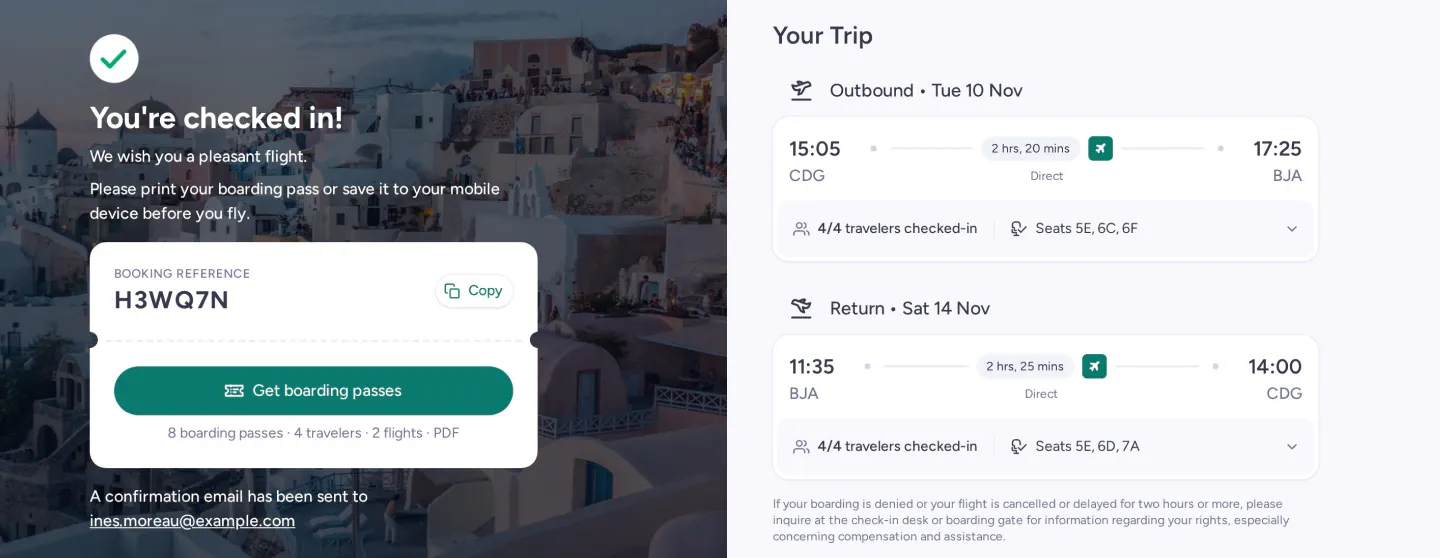
The day before departure, a passenger opens the airline's check-in page on their phone. For many airlines under 10 million passengers, that page is a generic white-label flow that looks nothing like the rest of the airline's website.
At CitizenPlane, online check-in is part of the passenger-facing suite called Shop, alongside the Internet Booking Engine and Manage My Booking. The three share one design, so the passenger gets the same brand experience every time. Shop runs natively with Zenith and is built to work with other passenger service systems.
What the passenger goes through
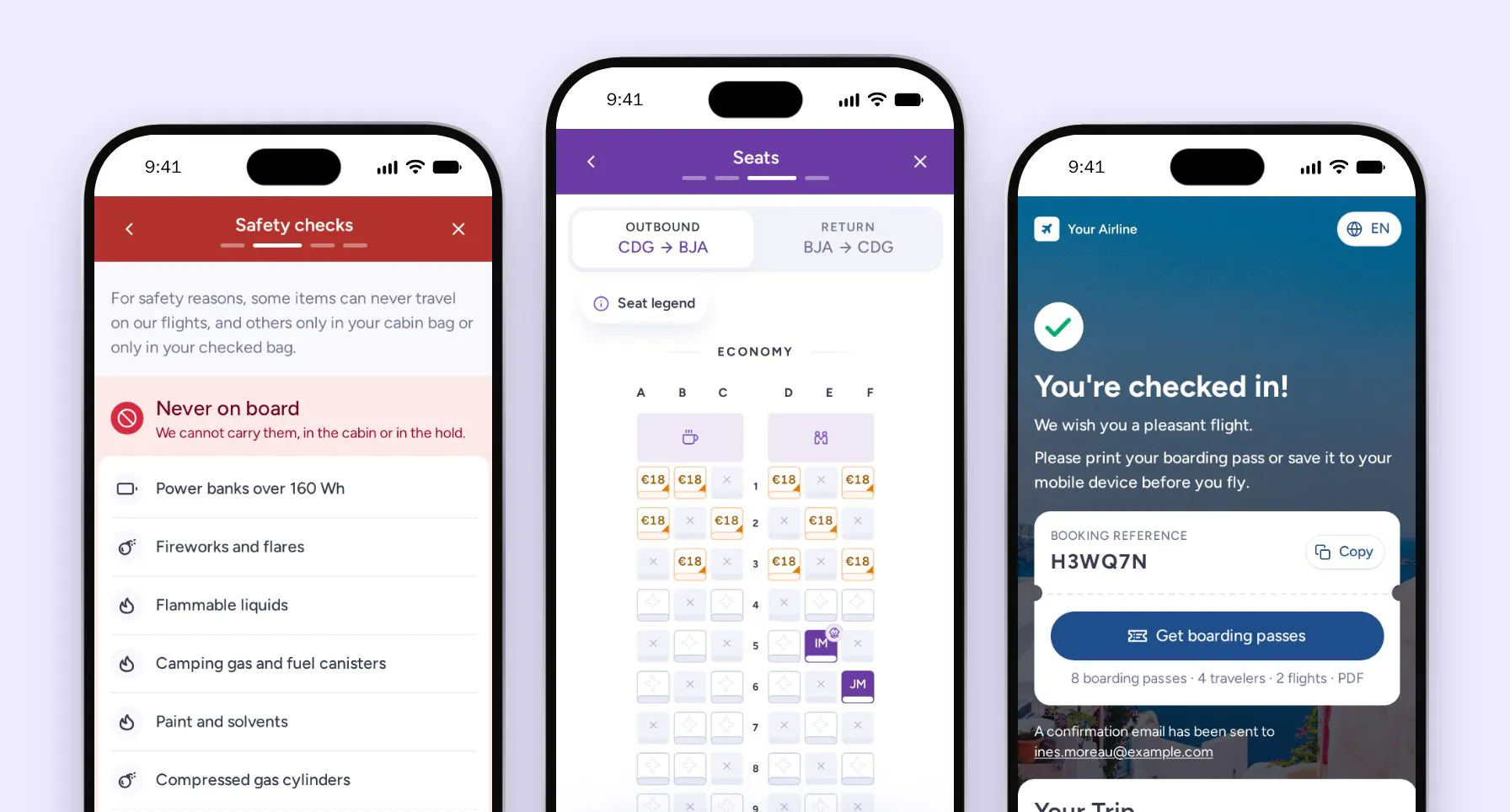
The passenger logs in with their booking reference and last name. They choose the flights to check in, and only flights already open for check-in can be selected. Then they choose who is travelling and update each passenger's details. Children and infants are checked in with an adult. From there they go through the safety checks, pick seats, add extras and download their boarding passes.
The details form follows the setup and rules of the airline. Required fields change by route, and on routes that need advance passenger information, check-in only goes ahead once the travel documents are complete. Before choosing seats, the passenger confirms they have read the airline's restricted items list: what can never travel, and what is allowed only in the cabin bag or only in the hold.
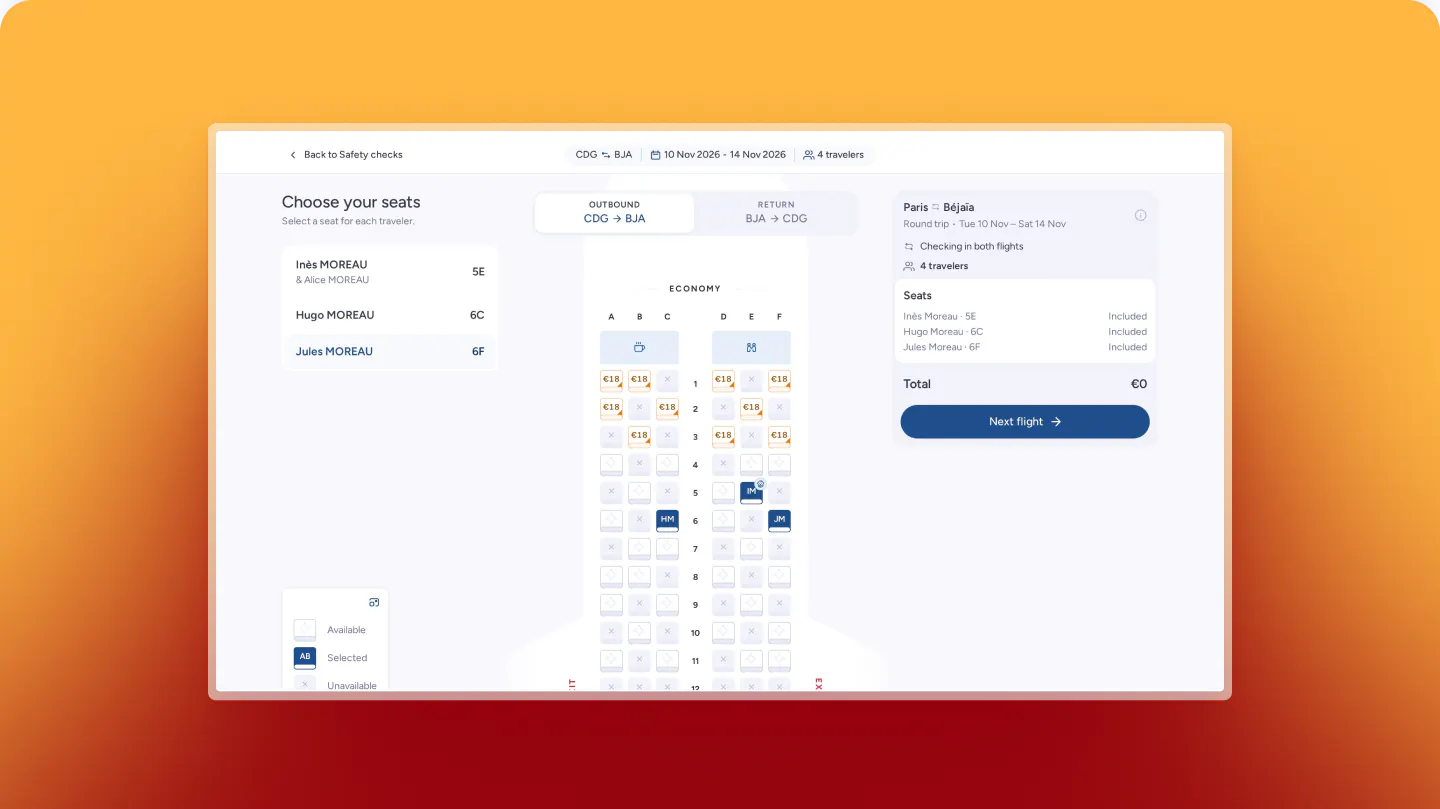
The seat map shows each seat category with its details and colour-coded availability, across every leg and for every passenger in the booking. Extra bags and other extras come in the next step, flight by flight or for the whole trip, when the passenger is already preparing to fly.
When something stops the check-in, such as a missing document, the page tells the passenger what to do next. Once checked in, the passenger downloads the boarding passes for everyone in the booking as a PDF, and a confirmation goes to their email.
Check-in opening and closing times can be set globally or by market, route, flight and channel. Eligibility can depend on passenger type, booking class or fare brand, and a passenger whose APIS data is incomplete is redirected to the counter.
What it changes for Operations
Each passenger who checks in online reduces the load at the counter where check-in costs staff time and terminal fees. The data is cleaner: passengers enter and validate their own passport details instead of an agent typing them at a desk.
Shop is part of CitizenPlane's operating system for airlines, with Zenith PSS, Pulse RM and Air Distribution. If you want to see the check-in flow with your own branding, we can walk you through it, let's discuss!